Payment Fee Handling: Pass Fees to Members vs Absorb Fees
When setting up billing for memberships or subscriptions, administrators can decide how Tribely’s processing fees are handled. This gives flexibility in determining whether the fee is paid by the member or absorbed by the administrator.
There are two available options:
- Pass on Fees to Members
- Absorb Fees
Understanding Tribely Service Fees
Tribely applies service charges for handling membership activities and administrators can choose how these fees are managed during member checkout.
This setting directly affects:
- The final amount paid by the member
- The net amount received by the organizer
Pass on Fees to Members
When Pass on Fees to Members is enabled, the processing fee is added to the member’s subscription or membership charge at checkout.
How it works:
- The administrator sets the base subscription or membership price.
- Tribely’s processing fee is calculated.
- The fee is added as an additional charge during checkout.
- The member pays the subscription amount plus the processing fee.
- The organizer receives the full subscription amount without fee deductions.
Key benefits:
- Organizer receives the full membership or subscription price
- Transparent fee breakdown for members
- Ideal for keeping organizer costs predictable
Best suited for:
- Paid memberships or subscriptions
- Events or communities where fees should not reduce revenue
- Organizations that prefer members to cover transaction costs
Absorb Fees
When Absorb Fees is enabled, the service fee is paid by the organizer and is deducted from the membership or subscription amount.
How it works:
- The member pays only the displayed subscription or membership price.
- Tribely’s processing fee is deducted from the collected amount.
- The organizer receives the net amount after fees.
Key benefits:
- Simpler pricing for members
- No additional charges shown at checkout
- Smoother and more user-friendly payment experience
Best suited for:
- Premium or high-value memberships
- Communities prioritizing member experience
- Marketing-focused or conversion-driven signups
Where to Find This SettingQuick Comparison
The fee-handling option can be enabled or updated while adding or managing payment details under:
Members → Member Payment
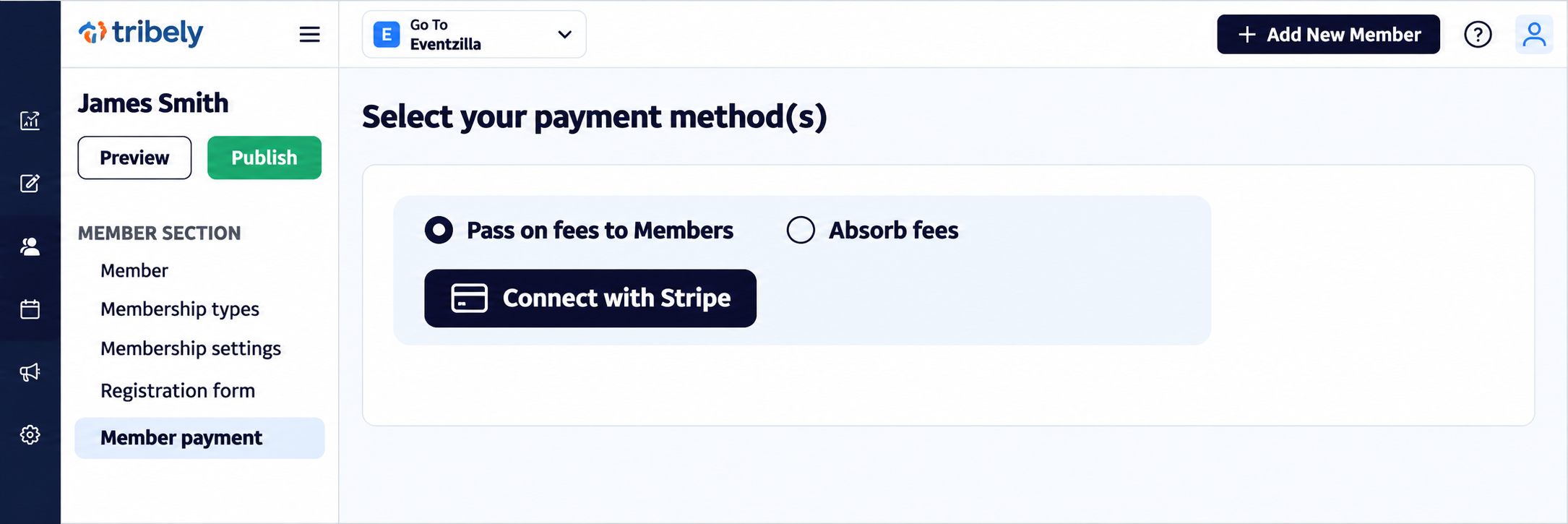
This toggle appears during the Stripe connection and card setup process, allowing administrators to choose their preferred fee-handling method before saving the changes.
| Feature | Pass on Fees to Members | Absorb Fees |
|---|---|---|
| Who pays the fee | Member | Organizer |
| Checkout amount | Subscription + fee | Subscription only |
| Organizer payout | Full subscription amount | Net amount after fees |
| Pricing transparency | Fee shown separately | Fee included |
| Member experience | Additional charge visible | Cleaner, simpler checkout |
Choosing the Right Option
- Choose Pass on Fees to Members if you want to protect revenue and avoid fee deductions.
- Choose Absorb Fees if you want to offer seamless pricing and improve member experience.
This flexibility allows administrators to align billing behavior with their business goals and member expectations.