A member is any contact assigned to a specific membership plan. While members can join independently through self-registration, administrators also have full control to add members manually , either individually or in bulk.
This guide explains how to add members manually , one at a time on your Admin Dashboard.
There are three ways to add members to your database:
- Self-Service Registration
Members complete your online membership application form, and their details are automatically added to the system upon submission.
- Bulk Import by Administrator
Administrators can upload a CSV spreadsheet to import multiple members at once. This is ideal for onboarding large groups efficiently.
- Manual Single Entry by Administrator
Administrators can add individual members manually , entering each member’s details one by one. This method is useful for ad-hoc additions or managing special cases.
How to Add a Member Manually
Follow these steps to add a new member manually
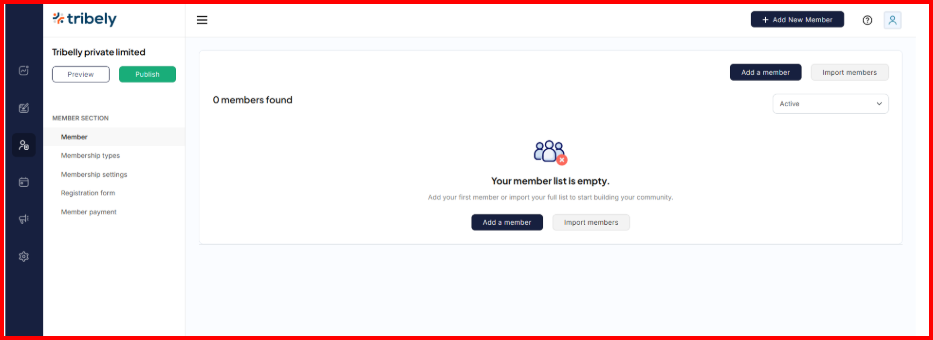
Navigate to the Member Management Section
- Log in to your Tribely Admin Dashboard
- Go to Member Management
- Select the Members section
- Click Add a Member
Enter Member Information
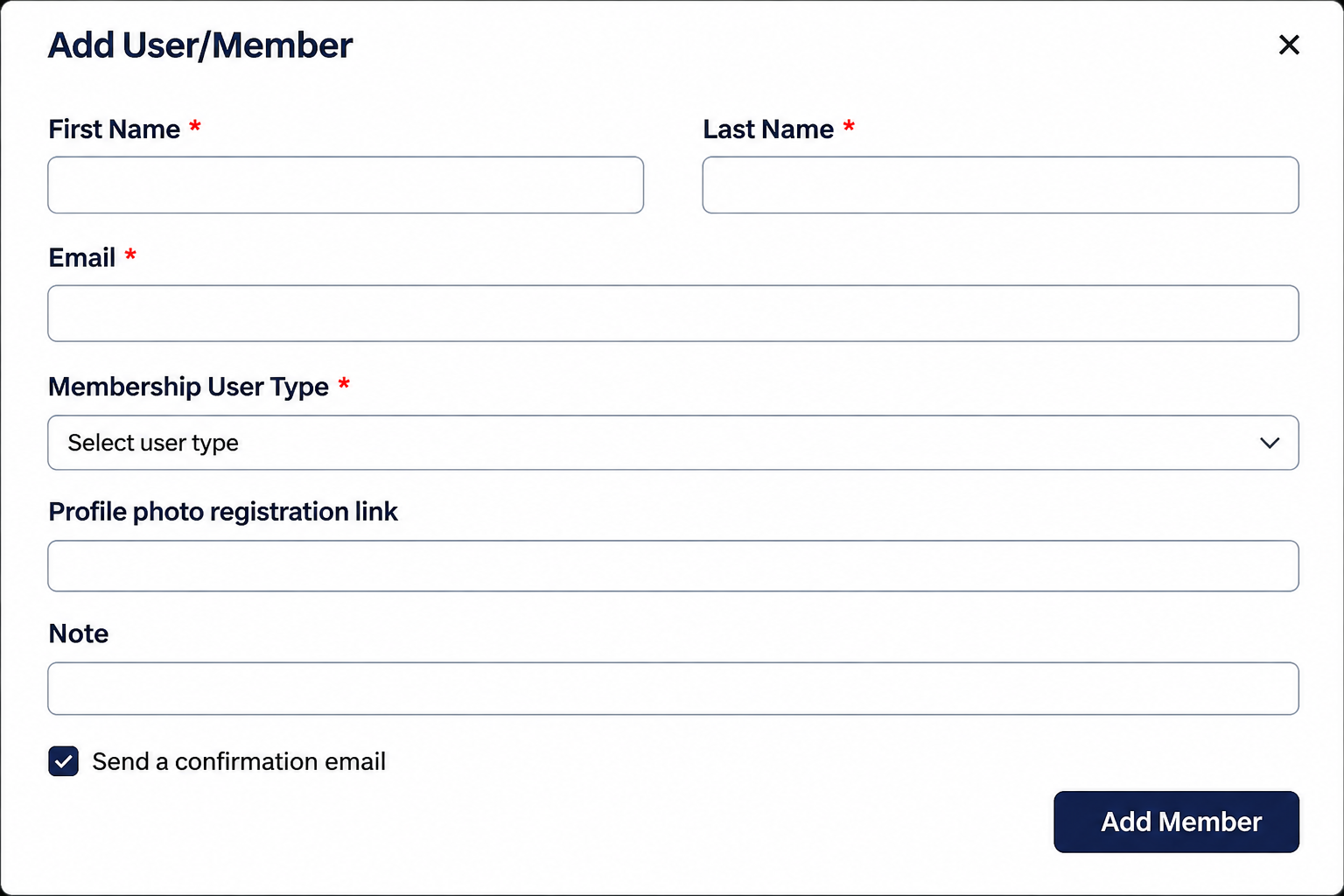
Fill in the required fields on the member creation form:
- First Name
- Last Name
- Email Address
- Membership Plan Name
- Membership Plan Expiration Date
- Notes (optional — for internal comments or administrative purposes)
Choose Whether to Send a Confirmation Email
- You can enable the option to send a confirmation email to the newly added member.
- This email will serve as an onboarding message , notifying the member of their subscription and membership details.
Complete the Process
- Click Add Member to finalize the entry.
- Tribely will immediately create the member record , and the contact will appear in your Members list with the assigned plan and expiration date.
Confirmation
Once added:
- The new member is successfully included in your Tribely system
- They will follow the rules and benefits defined in the assigned membership plan
- Administrators can edit or update member details at any time as needed
- Tribely supports manual, bulk, and self-service member addition
- Manual addition is ideal for single or special-case members
- Always review member details for accuracy before completing the entry
- Sending a confirmation email improves member engagement and onboarding