Event creation is enabled through a seamless integration with Eventzilla , allowing you to engage your members with impactful events such as workshops, meetups, and conferences—all through a single, connected experience.
Bring Your Membership to Life with Events
The platform helps you manage members, while Eventzilla enables you to engage them through professionally managed events. Together, they provide a unified workflow for event creation, registration, and attendance tracking.
Before You Begin
- Ensure your administrator account is active
- You must have a valid email address
- Event creation is powered through Eventzilla and requires accepting the terms
Steps to Create a New Event
Access the Events Section
- Log in to your dashboard
- Navigate to the Events section
- Click Create Your First Event
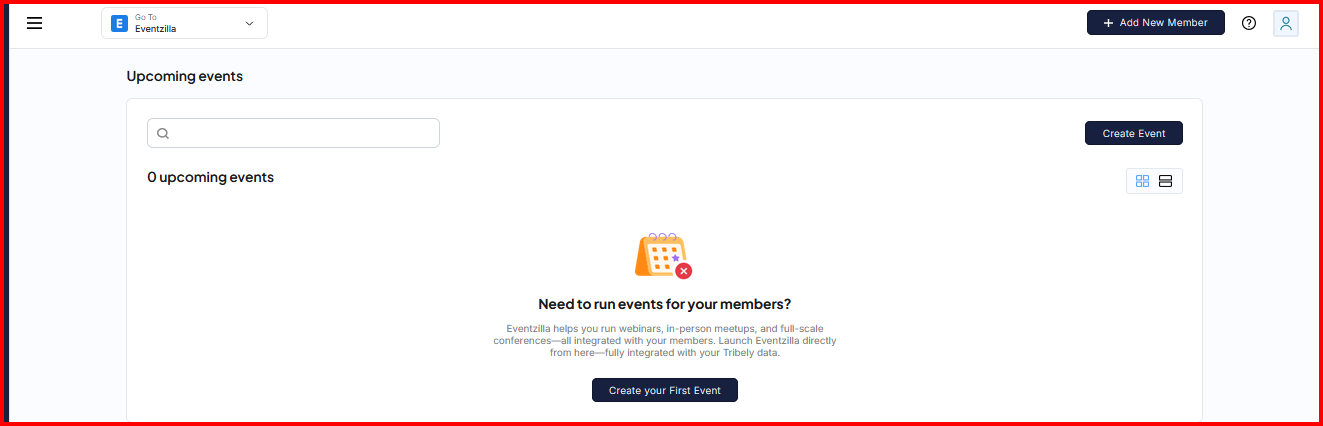
Connect to Eventzilla
When creating an event for the first time, you will be prompted to connect with Eventzilla.
You will see a message explaining how membership management and event engagement work together to provide a seamless experience.
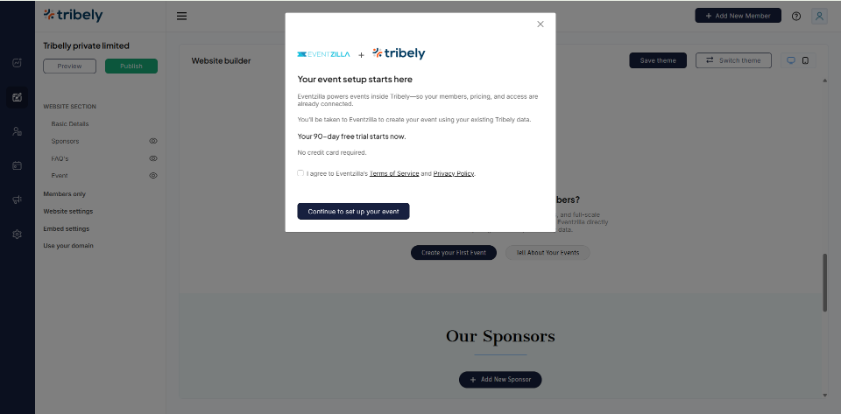
Accept Terms and Continue
- Review Eventzilla’s Terms of Use and Privacy Policy
- Select the checkbox to confirm your agreement
- Click Continue to Eventzilla
This securely links your account and enables event creation.
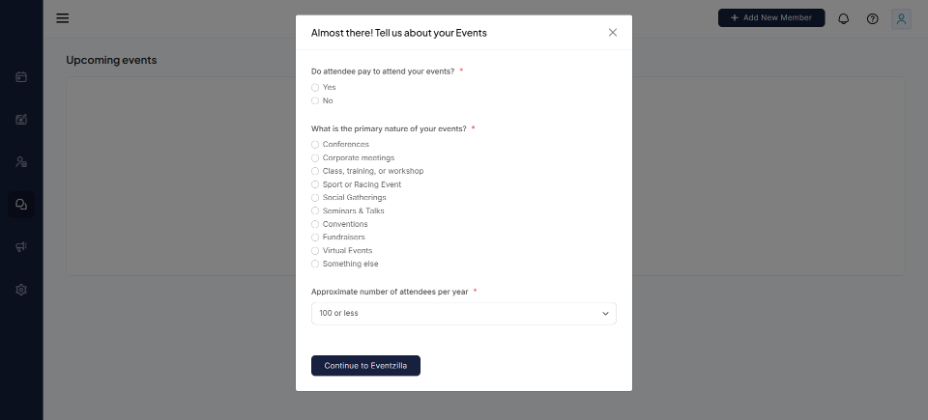
Create and Configure Your Event
After continuing, you’ll be redirected to Eventzilla, where you can:
- Add event details such as title, date, time, and location
- Configure ticket types and pricing
- Set capacity and registration rules
- Choose whether the event is member-only or open to the public
All event-related data remains synced with your dashboard.
Managing Events After Creation
Once an event is created:
- It appears in your events list
- Registrations are tracked automatically
- Attendance and engagement can be monitored
Benefits of Eventzilla Integration
- Single login experience
- Seamless event and member data synchronization
- Simplified event setup and management
- Improved member engagement
- Reduced administrative effort
Need Help?
If you encounter any issues while creating or managing events:
- Visit the Help Center
- Contact support at help@tribely.net
You’re all set to start creating engaging events 🚀