A grace period allows members extra time to renew their subscription after their billing cycle ends. During this period, memberships remain active, ensuring uninterrupted access while giving members flexibility to complete their renewal.
Grace periods are an effective way to improve member retention by reducing accidental lapses and offering a smoother renewal experience.
What Is a Grace Period?
A grace period is the additional number of days granted to a member after their scheduled renewal date has passed. During this period:
- The member’s subscription remains active
- Membership is not cancelled immediately
- Members continue to enjoy all benefits
- Renewal actions can be completed without losing access
After the grace period ends, if the payment has not been completed, the membership may be automatically cancelled according to your organization’s rules.
How Grace Periods Work With Billing Frequency
Each Membership Type in Tribely has a billing frequency , either Monthly or Annual. The grace period acts as an extension after the end of the billing cycle.
Examples:
- Monthly Plan with 7-Day Grace Period
→ Membership stays active for 7 extra days after the monthly renewal date.
- Annual Plan with 14-Day Grace Period
→ Member has 14 extra days to renew before access is suspended or cancelled.
This ensures members do not immediately lose access even if they miss the exact renewal date, making the renewal experience smoother.
How to Enable and Set a Grace Period
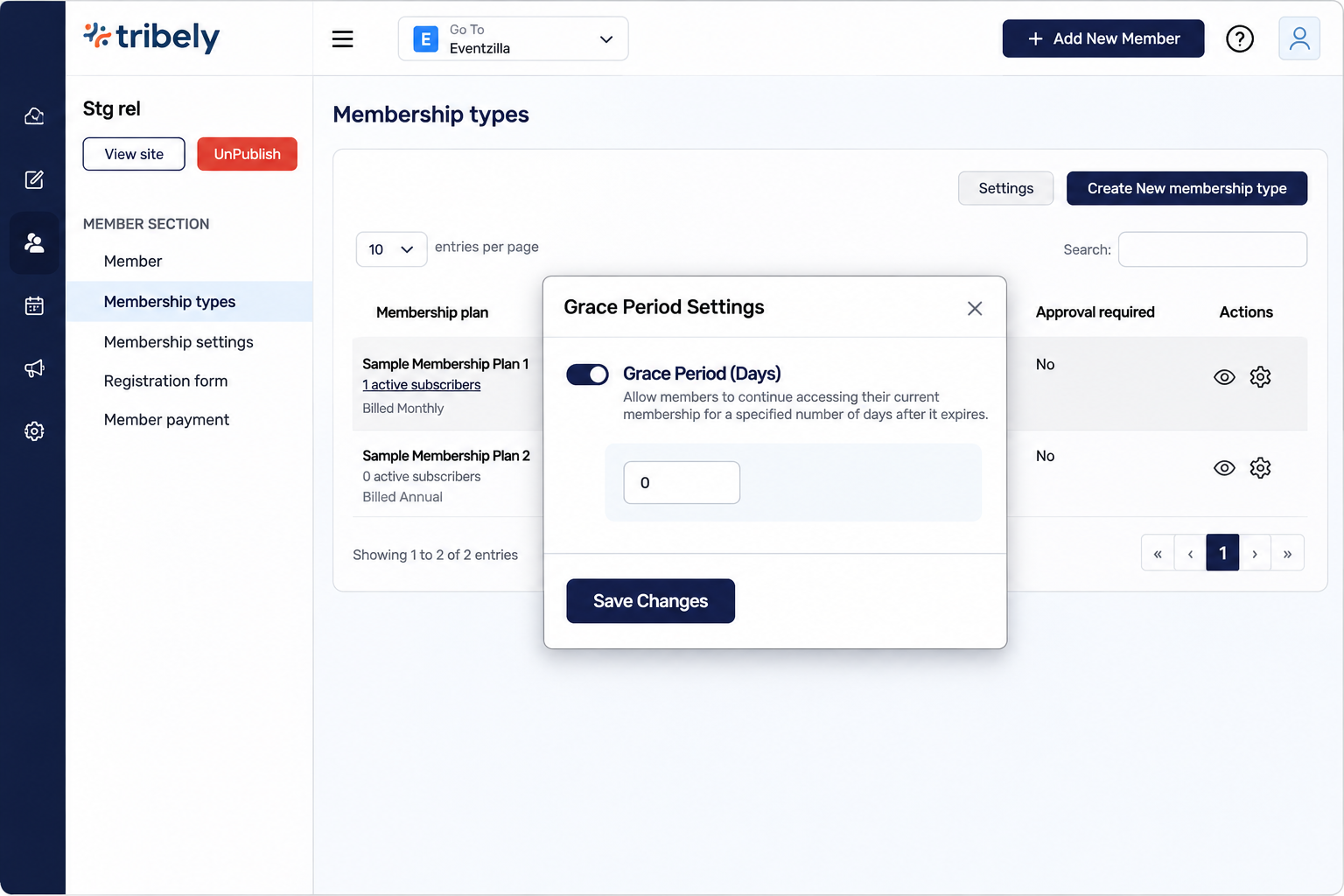
To configure a grace period for any Membership Type:
- Go to the Members tab in your Admin Dashboard
- Select Membership Types
- Click on Settings for the membership type you want to update
- Toggle ON the Grace Period option
- Enter the number of grace period days you want to allow
- Click Save Changes to apply the update
Once configured, the selected Membership Type will keep members active for the specified number of days after the billing cycle ends.
- Grace periods help retain members by preventing accidental lapses
- Members continue to have full access during the grace period
- Configure different grace periods for monthly or annual plans
- Always review your membership policies to determine the optimal grace period